Peppol BIS 3.0 · UBL 2.1
Read a Peppol e-invoice like an invoice.
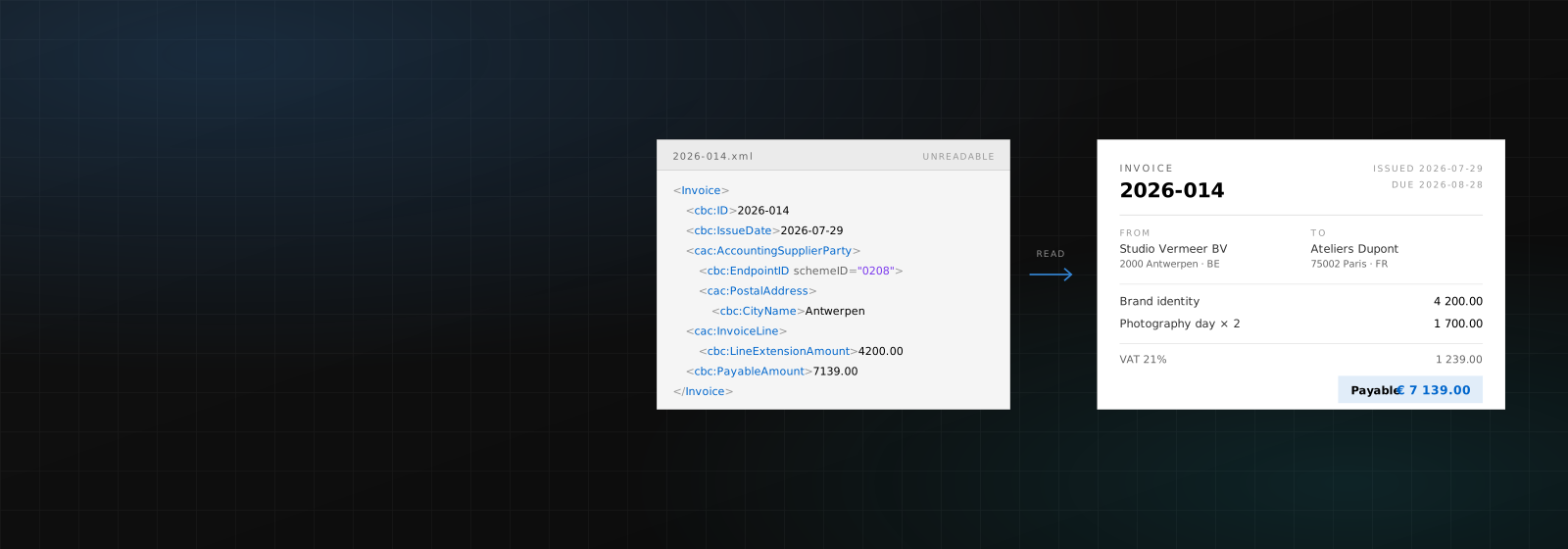
Drop the XML your supplier sent and read it like an invoice.
Drop a Peppol or UBL invoice here
An .xml file from your accountant, your Access Point, or a supplier.
Or paste the XML
Runs in your browser
Nothing you type here is uploaded, logged, or stored. The file is built on your own machine and disappears when you close the tab.
What it opens
Any UBL 2.1 invoice or credit note, including the Peppol BIS Billing 3.0 profile that Belgium, the Netherlands and most of the network use. It reads the file the way an Access Point does (by element, not by position), so it copes with documents written by software that formats them differently to ours.
Two views, because there are two questions
The invoice view answers "what does this say": who sent it, for what, how much, by when. The field view answers "why was this rejected", listing every element the reader looked for, the value it found, and the ones that were simply not there. Most viewers only give you the first, which is no help at all when the problem is a missing country code.
The file stays on your machine
There is no upload. The XML is parsed by your own browser and the PDF is produced by your own print dialog, which is why this page needs no account and keeps no copy. Close the tab and there is nothing left to delete, which is worth knowing, because an invoice names a customer and what you charged them.
What it is not
It is a reader, not a validator: it will happily open a file that an Access Point would reject, and it does not check the business rules. It also cannot open Factur-X, ZUGFeRD or XRechnung CII files yet, though it will tell you when you have handed it one.
Questions, answered
Is there a limit?
No. No account, no file-size cap, no watermark on the PDF, no daily quota.
Is my invoice uploaded anywhere?
No. The page has no server behind it. Your browser reads the file and your browser makes the PDF; nothing is transmitted, logged or stored.
Which formats work?
UBL 2.1 invoices and credit notes, which covers Peppol BIS Billing 3.0. Drop a CII file (Factur-X, ZUGFeRD) and it will recognise it and say so rather than fail silently.
How do I get a proper PDF?
Press "Save as PDF" and choose "Save as PDF" as the destination in your browser’s print dialog. The toolbar and the rest of the site are excluded automatically. Only the invoice prints.
Can I change the invoice before saving?
Not here. This reads what is in the file, and quietly editing someone else’s invoice is a bad habit for a tool to teach. To issue a corrected one, use the invoice-to-Peppol tool or a weBiller account.
Wrong answer, or a tool that isn’t here?
Tell us which tool and what you expected. Requests are most of how this list grows, and if the wording here reads wrong, say so.
Your next invoice takes a minute.
Free while in early access. Bring your clients, your currencies, and your logo.