Free, no account
Add VAT, or take it back out.
Add VAT, or take it back out. The second one people botch.
Result
- Net
- €0.00
- VAT 21%
- €0.00
- Total including VAT
- €0.00
Rates change by statute and reduced rates apply to many goods and services. The presets cover standard rates in the markets these tools serve. Check the current rate for anything unusual.
Runs in your browser
Nothing you type here is uploaded, logged, or stored. The file is built on your own machine and disappears when you close the tab.
Both directions, because only one is obvious
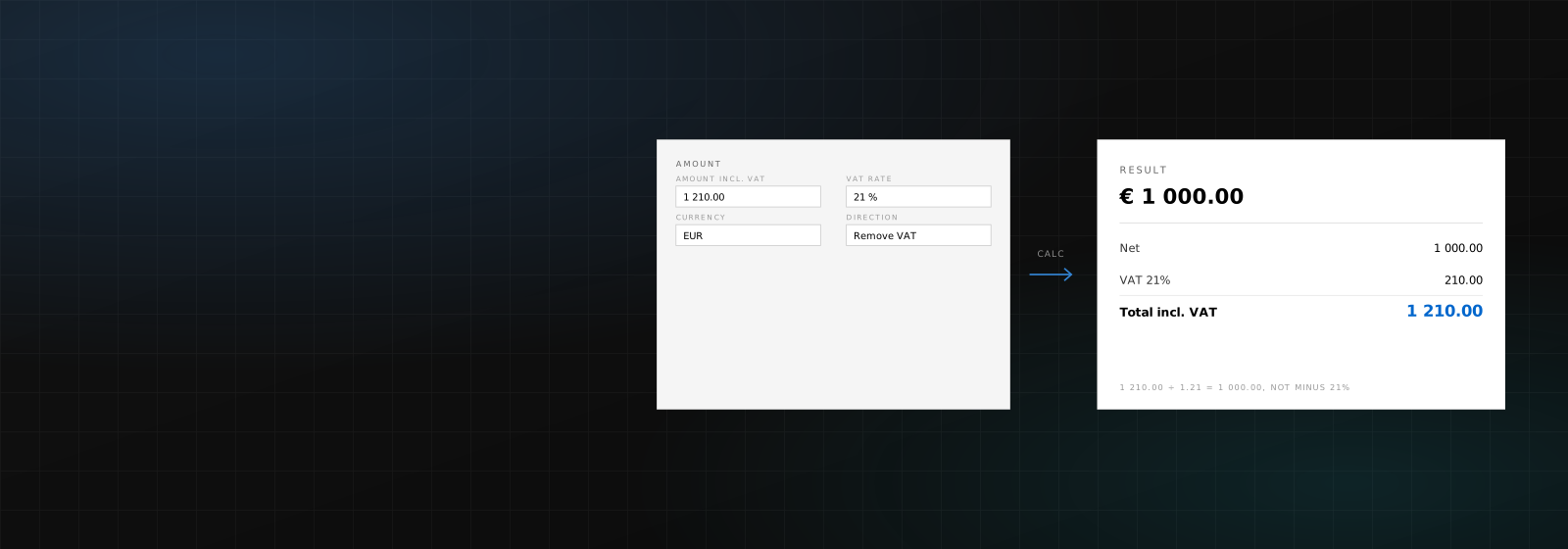
Adding VAT is easy: multiply. Taking it out is where the mistake happens. A €121 gross figure at 21% is not €121 minus 21%, it is €121 divided by 1.21. That is €100, not €95.59, and the difference compounds across a year of invoices.
When you need to work backwards
More often than you would think. A price you quoted inclusive of VAT, a receipt with only a total on it, a supplier invoice you are reconstructing for your books, or a marketplace payout that arrived net of everything. In all of those you have the gross and need the split.
About the rates
The presets cover standard rates in the markets these tools serve. Reduced rates apply to a long list of goods and services and vary by country, and rates change by statute: the field is editable for a reason, and anything unusual is worth checking against your own tax authority.
Questions, answered
Is it free?
Yes. No account, no limit, nothing stored.
Does it handle reduced rates?
Yes, type any rate. The presets are only standard rates as a shortcut.
How does it round?
To whole cents, half up, which is what invoicing software and the VAT rules expect.
Can it make an invoice?
Not this one. The invoice generator does that and applies the same VAT logic per line.
Wrong answer, or a tool that isn’t here?
Tell us which tool and what you expected. Requests are most of how this list grows, and if the wording here reads wrong, say so.
Your next invoice takes a minute.
Free while in early access. Bring your clients, your currencies, and your logo.